Pasly Free
$0
to start
The local-first clipboard essentials for everyday work on your Mac.
- Clipboard history
- Fast clipboard search
- Clipboard filters
- Pins
- Customizations
- Native macOS experience
Download free
No card required
A local-first clipboard manager for Mac, iPhone, and iPad. Search clipboard history, paste smarter, and privately sync across devices.
Pasly Cloud
Sync clipboard history between your Macs, iPhone, and iPad. Pasly Cloud keeps text, images, and files available across devices through your private CloudKit database.
Smart Paste
Press ⌘V and choose the right item from your Mac clipboard history without leaving the app you are using.
Paste Stack
Copy several items in order, then paste them one after another without jumping back and forth between apps.
Multi Select + Files
Choose multiple items from your clipboard history, including files, and paste them together in a single action.
Privacy
Pasly is local-first. Pro includes Pasly Cloud for the items you choose to sync across your Macs and iOS devices.
Everyday clipboard use works locally. Pro adds private CloudKit sync across your devices, without giving up control of your content.
Simple pricing
Use the essentials for free. Unlock every Pro feature and Pasly Cloud with one purchase.
$0
to start
The local-first clipboard essentials for everyday work on your Mac.
No card required
One-time purchase
$9.99
once
Full Pasly access, including Cloud sync on all your devices.
FAQ
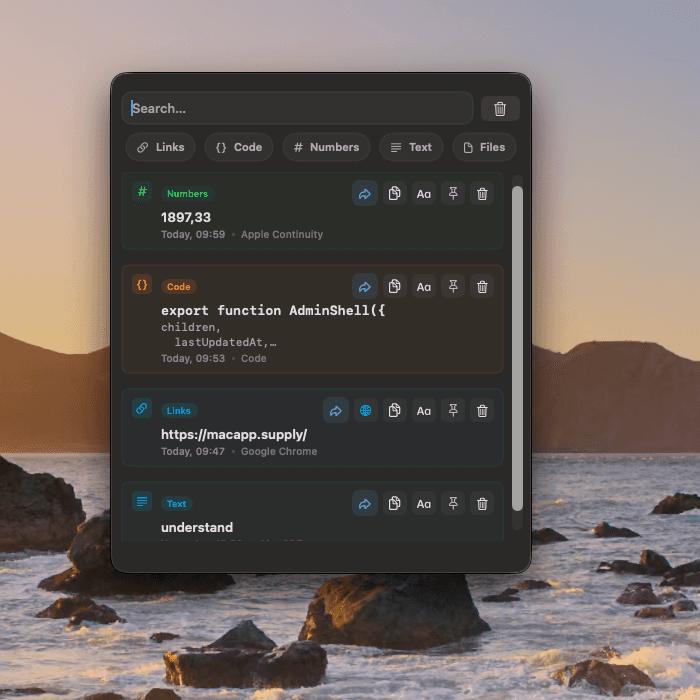
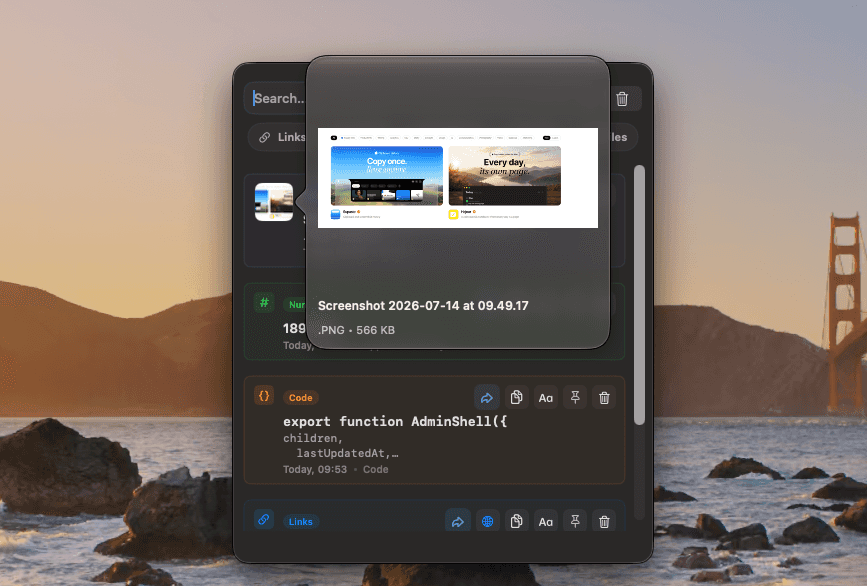
Pasly is a native, local-first clipboard manager for Mac. It keeps recent text, links, code, numbers, images, and files easy to search, filter, pin, preview, copy, and paste again.
Yes. Pasly Free works locally on your Mac without an account or payment. It keeps up to 20 items for 24 hours and includes core history, search, filters, up to two pinned items, up to two files, and multi-selection for up to two items.
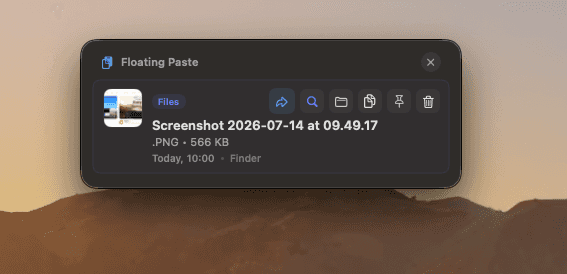
Pro unlocks Pasly Cloud, Smart Paste, Paste Stack, unrestricted pins and multi-selection, Floating Paste, Field Sense, advanced customization, and longer configurable history. It is a one-time purchase.
Yes. Pasly Cloud syncs text, links, code, numbers, images, and files across your Macs, iPhone, and iPad. Your synced clipboard history uses your private CloudKit database.
Yes. Pasly Cloud stores synced items in the private CloudKit database connected to your iCloud account. Your local clipboard history also stays encrypted on your device.
Pasly Free works without an account. Pasly Cloud uses Sign in with Apple for your Pasly Account and the iCloud account available on each device for CloudKit. A direct Pro purchase also includes a license key sent by email.
Smart Paste opens your recent clipboard items when you press Cmd + V, so you can choose what to paste without changing your normal workflow. macOS requires Accessibility permission for Pasly to detect that system-wide shortcut and paste into the active app. You can revoke it anytime in System Settings.
Pasly automatically keeps the items you copy on your Mac. Open Pasly from the menu bar or with its global keyboard shortcut to search, filter, preview, copy, or paste an earlier clipboard item.
Yes. Multi Select lets you choose several text or file items and paste them together in one action. Paste Stack is designed for repeated fields: collect items in order, then paste them one at a time in that same order.
The Direct edition is recommended for Pasly's complete system-level paste experience. The Mac App Store edition uses Apple's sandbox, which limits some advanced integrations. Pasly Cloud is available on supported devices when Pro is active.